


Delaware Online
3.1161.00 Reviews
App Specs
- Version
- 8.10.3
- Updated On
- License
- Free
- Downloads
- 50,000+
- Developer
- USA TODAY Co.
- Categories
- News & Magazines
- Platform
- Android
Screenshots


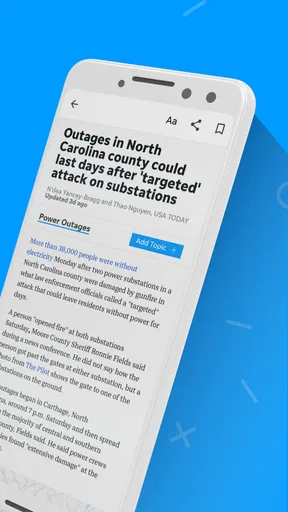

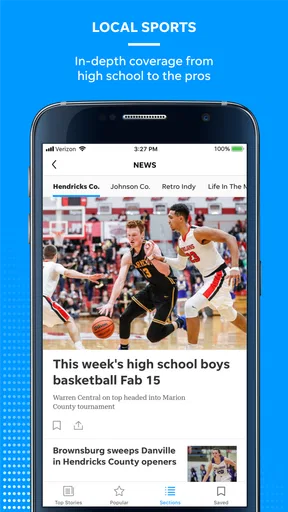


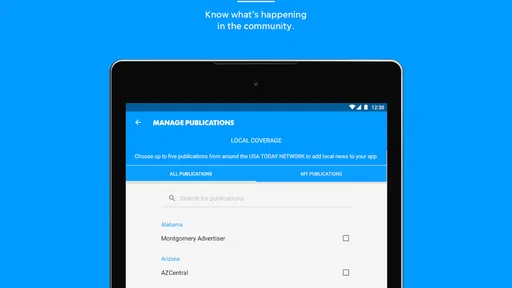
 Analysis by AppCompare
I find Delaware Online most useful when I want a quick sense of what is happening close to home, rather than another broad stream of national headlines. It is a free news and magazines app from USA TODAY Co., and its focus makes it most relevant to people who live in Delaware, have family there, or follow the state from elsewhere. Before relying on it as a daily news habit, though, I’d take a moment to see whether its local coverage and reading experience suit the way you actually keep up with news.
Start by checking what you want from local news
A regional news app can earn a place on my phone when it helps answer practical questions: what is changing in the community, what local story deserves a closer read, and which developments might affect my day. Delaware Online combines local reporting with national coverage, photography, and video, so it can serve as a convenient starting point without being a complete replacement for every news source.
That distinction matters. If you mainly want a quick scan of national headlines, a general news app may be a better fit. If Delaware is the part of the news you do not want to miss, a state-focused feed can save you from digging through broader coverage to find it. I would judge the app by whether its local stories are useful to you, not by how many topics it can put on one screen.
Do a little setup before making it a habit
When I try a news app, I first browse a few sections and open stories that match my interests. That gives me a better sense of whether the mix is right before I change notifications or make it part of my routine. The app is rated Everyone 10+, and its current version is 8.7.1; it requires Android 8.0 or later. On an older phone, checking compatibility before troubleshooting can save time.
Notifications are worth treating as a choice, not a requirement. If alerts interrupt work or family time, reduce or disable them in the app or your device settings and check the news when it suits you. If you do want breaking updates, start with a manageable notification setup and see whether the interruptions provide useful local information. A news alert is only helpful when its timing and subject fit your day.
When a story or screen does not behave as expected
If an article will not load, I would first check whether other apps can use the internet and then try the story again. A weak connection can make photos and video slower than text, so switching to a steadier connection is a sensible first step. Closing and reopening the app is another low-effort check before moving on to anything more disruptive.
If the problem persists, check that the app is up to date and restart the phone. I would avoid immediately removing the app if I had changed settings or relied on a saved state, since reinstalling can mean setting things up again. For an issue limited to one story, trying another article helps distinguish a single loading hiccup from a wider problem.
Worth Reading Before You Choose

EA SPORTS FC Mobile 26 Is a Bigger Football Game, but It Takes Time

Flipboard Shows What News Apps Must Do Beyond the Feed

Switching to Android Auto Means Rethinking Your Driving Routine

Google Calendar Makes a Crowded Week Easier to Manage

Ludo King Makes the Most of the Minutes Between Plans

Baby Panda World Brings Quick Play to Modern Phones, but Its Game Library Feels Busy
Separate app problems from connection or device problems
News apps depend on a working connection, and media-heavy pages can be more demanding than plain text. If headlines appear but a video stalls, I would not assume the entire app is broken; I would try the same page later or on a stronger connection. If several unrelated apps are also slow, the phone or network is a more likely place to start than Delaware Online itself.
It is also worth checking whether the phone has enough free space and whether its operating system meets the app’s minimum requirement. These basic checks will not solve every issue, but they help narrow down the cause without jumping to drastic fixes. The Android minimum is 8.0, so devices running an earlier version are not a suitable match.
Your Daily News Companion
From the moment I fired up Delaware Online, I was greeted with a sleek, intuitive interface. Navigation is a breeze, with everything laid out in a way that makes sense—even if you’re a first-timer. The app organizes news into categories like local, national, sports, and entertainment. It feels like having a digital newspaper that fits right in your pocket!
Stay Updated with Real-Time Alerts
One of the standout features is the real-time alerts. I mean, who doesn't want to be the first to know about breaking news? These notifications are timely and ensure you never miss a beat. Whether it’s a major local event or an important national update, you’ll be in the loop.
In practice, I would use alerts selectively rather than switching on every notification. A useful routine is to glance at an alert, decide whether the story needs attention now, and save the deeper read for a quiet moment. That keeps the phone from turning every developing headline into an interruption. If an alert feels too broad, check the available notification controls rather than assuming that every topic needs to reach your lock screen.
Smooth and Seamless User Experience
Let’s talk about user experience. The app runs smoothly without any annoying lags or crashes. Scrolling through articles is effortless, and the loading times are impressively quick. It really makes reading the news a pleasure rather than a chore.
My practical test for a reading app is not just whether one screen scrolls well; it is whether I can return to a story, move between a headline and its details, and keep reading without losing my place. When that flow works, the app is easy to fit into a short break. If a page is slow on a particular connection, I would give it another try before deciding that the whole experience is consistently sluggish.
Customizable News Feed
Another feature I love is the customizable news feed. You can tailor it to focus on the topics that interest you most. Want more sports? Simply adjust your settings. It’s like having your very own personalized news hub.
A useful way to approach customization is to start with only the topics you genuinely check, then revisit the mix after a few days. Too many interests can make a feed feel just as crowded as an unfiltered one; too few can hide stories you care about. I would also compare the tailored feed with the broader sections now and then, so personalization does not become a filter that leaves you unaware of other important local coverage.
In-Depth Articles and Multimedia
The articles are well-written and provide in-depth coverage of the events. If you're someone who enjoys a deep dive into current affairs, this app won’t disappoint. Plus, it includes multimedia elements like photos and videos, which really bring the stories to life.
That mix is especially handy when a visual report adds context that a headline cannot provide. On a commute or in a waiting room, I might scan a few headlines first, then open a longer article when I have time to follow the details. On mobile data, however, I would be more deliberate about playing video, since image- and video-rich pages can take longer to load than text. The trade-off is worthwhile when the visuals clarify the report, but not every quick news check needs them.
Weather Updates and More
Beyond news, Delaware Online also offers weather updates. I find this particularly handy because I can check the forecast while catching up on news. It’s like getting two apps in one!
For a realistic morning routine, I would open the app while having breakfast, check the local forecast, scan the headlines, and save a longer story for later. That is a convenient combination when I want local context before heading out. I would still use a dedicated weather service if I needed highly specific forecast tools; the appeal here is having weather alongside news, not replacing every specialist app.
Who gets the most from this app
The strongest audience is someone with a continuing reason to follow Delaware: residents, people who commute within the state, former residents keeping in touch, or relatives who want a closer view of local developments. National stories add breadth, but the local emphasis is the reason to choose this over a general headline aggregator. If Delaware rarely affects your interests, you may find a national or city-specific alternative more relevant.
It is also a better fit for readers who enjoy opening full articles and engaging with photos or video than for someone who wants only a bare list of headlines. The app has a 3.1 average from 449 ratings, so I would not treat it as an automatic match for everyone. That rating is a useful prompt to try the app yourself and pay attention to the parts that matter to you, rather than expecting a universally smooth experience.
Cost, expectations, and alternatives
The app is free to download, with in-app purchases ranging from $19.99 to $69.99 per item. I would check the purchase details in the app before committing to anything and decide whether the reading access or options presented are worth it for my own habits. If I only want occasional headlines, I would begin with the free experience and avoid assuming that every article or feature will necessarily fit that use case.
Compared with a general news aggregator, Delaware Online offers a more focused local perspective; the trade-off is that it will not be as broad by default. Compared with visiting news sites individually, one app can make regular checking more convenient, while a browser remains a sensible alternative if I prefer not to add another app or want to compare coverage across outlets. The right choice depends on whether local depth or a wide mix of publishers matters more to you.
Why You Should Download Delaware Online
So, why should you give this app a try? Well, if you’re looking for a reliable, user-friendly way to stay informed about Delaware and beyond, Delaware Online is a no-brainer. It’s comprehensive, easy to use, and keeps you connected to what matters most.
My recommendation is more specific: try it if Delaware news is part of your everyday life, then keep it only if the local stories, alerts, and reading flow are genuinely useful. Skip it if you mainly want international coverage, a publisher-neutral roundup, or detailed weather tools. The app has 50K+ installs and is free to start, but neither fact can decide whether its particular mix suits you. A short trial with notifications kept under control is the most practical way to find out.
Overall, I’ve found Delaware Online to be an invaluable tool for keeping up with the news. It's my go-to app for staying informed, and I bet it could be yours too. If you’re in Delaware or just interested in what’s happening there, download it today and see for yourself.
Pros
- User-friendly interface for easy navigation.
- Comprehensive local news coverage.
- Real-time updates keep you informed.
- Customizable notifications for news alerts.
- High-quality multimedia content.
Cons
- Limited international news coverage.
- Frequent ads can be intrusive.
- Occasional app crashes reported.
- Subscription required for premium content.
- Offline mode not available.
FAQs for Delaware Online
What is Delaware Online and what features does it offer?
Delaware Online is a digital news app providing the latest updates and in-depth stories about Delaware. It offers features such as breaking news alerts, personalized news feeds, multimedia content including videos and photo galleries, and the ability to save articles for offline reading. Subscribers can also access exclusive content and archived articles.
Is Delaware Online free to use, or is there a subscription fee?
Delaware Online offers both free and subscription-based content. While many articles and features are available at no cost, a subscription is required to access premium content, special reports, and the full archive. Subscription plans vary and can be purchased directly within the app, providing an ad-free experience and additional benefits.
How user-friendly is the Delaware Online app for new users?
The Delaware Online app is designed with user-friendliness in mind, featuring an intuitive interface that makes navigation easy. New users will appreciate the clean design, straightforward menu options, and the ability to customize news feeds according to their interests. The app also includes a tutorial for first-time users to help them get acquainted with its features.
What platforms is Delaware Online available on, and how do I download it?
Delaware Online is available on both Android and iOS platforms. To download the app, users can visit the Google Play Store for Android devices or the Apple App Store for iOS devices. Simply search for 'Delaware Online,' and follow the installation prompts to download and install the app on your smartphone or tablet.
How does Delaware Online handle user data and privacy?
Delaware Online prioritizes user privacy and data security. The app collects minimal personal information necessary for account creation and subscription management. It adheres to strict privacy policies, ensuring that user data is not shared with third parties without consent. Users can review the app’s privacy policy in the settings menu for detailed information on data handling practices.


